Shopify Google Ads New York: The Infrastructure Guide for 2026

Shopify Google Ads works when the infrastructure underneath is right: a Merchant Center feed that reflects your catalog accurately, purchase tracking that reports real order values, and a campaign structure that separates products by margin. This guide covers that infrastructure for New York Shopify brands, the Shopify-specific traps, and how we set it up in our Google Ads management.
Why Shopify Google Ads in New York Requires a Specific Infrastructure Approach
Shopify Google Ads in New York involves three distinct infrastructure layers that most Shopify stores set up incorrectly, incompletely, or never audit after initial launch. The Shopify platform makes it easy to connect Google Ads and get campaigns running quickly. It does not make it easy to build the structural foundation that produces profitable, scalable returns in New York's elevated-CPC auction environment.
The average ecommerce Google Ads account sits at 2.87x ROAS. Shopify stores with correctly built infrastructure, including a properly optimized product feed, accurate conversion tracking passing real Shopify order values, and margin-based campaign segmentation, consistently reach above 5x. That gap does not come from budget differences or platform access. It comes from whether the three foundational infrastructure layers were built correctly before campaigns went live and maintained correctly as the store grew.
New York's auction adds a specific cost multiplier to every structural gap. Over 200,000 businesses compete across five boroughs simultaneously. Google Shopping CPCs rose 26% over three years entering 2026. In this environment, a weak product feed, inaccurate Shopify conversion tracking, or margin-blind campaign structure costs more per day than the same problems would in any lower-competition market.
Infrastructure Layer One: The Shopify Product Feed and Merchant Center Connection
How do I fix Shopify conversion tracking for Google Ads?
The Shopify product feed is the foundation of every Google Shopping and Performance Max campaign. Google reads the feed to determine which search queries trigger your Shopping ads, how competitive your placement is in the auction, and how much information the algorithm has to match products to buyers. Campaign-level optimization cannot compensate for a feed connecting your products to the wrong queries at the wrong cost.
Connecting Shopify to Google Merchant Center
The fastest route to connecting Shopify to Google Merchant Center is through the Google and YouTube channel app in the Shopify admin. The app handles account linking, product catalog sync to Merchant Center, and basic conversion tracking in one setup flow. For most Shopify stores in their first six to twelve months, the native Google and YouTube app provides sufficient feed connectivity to get campaigns live and generating data.
Third-party feed management apps earn their investment when the store needs more than the native app provides: complex title optimization rules that vary by product category, automated testing of title variants, multi-channel feeds to both Microsoft Advertising and Google simultaneously, richer Merchant Center error diagnostics, or supplemental data management across catalogs with thousands of SKUs. As the store scales and feed quality becomes the primary ROAS lever, a dedicated feed management layer typically produces measurable performance improvement that justifies the investment.
Shopify Product Title Optimization for Google Shopping
Product titles in your Shopify catalog are the highest-leverage variable in Google Shopping performance. Google weights title terms heavily when matching products to search queries. A Shopify product titled "Blue Canvas Bag" competes in a handful of auctions. A product titled "Navy Blue Canvas Tote Bag Large Reusable Shoulder Bag Organic Cotton" competes in dozens, each representing a buyer searching from a different angle at a different intent level.
The most common Shopify title mistake is using store-display names rather than buyer search language. Internal naming conventions, brand shortcodes, and product reference numbers that make sense in your Shopify admin are invisible to Google's matching algorithm. Rewriting the top 50 revenue-driving SKU titles using buyer search language consistently produces measurable CTR and ROAS improvement within two to four weeks without any campaign setting changes.
Title formula by category:
- Apparel: Brand + Gender + Product Type + Key Attribute + Color + Size
- Electronics: Brand + Product Type + Model + Key Specification
- Home Goods: Brand + Material + Product Type + Dimension + Color
- Health and Beauty: Brand + Product Type + Key Ingredient or Benefit + Size or Count
GTINs, Custom Labels, and Merchant Center Diagnostics
GTINs (Global Trade Item Numbers) unlock eligibility for high-intent product-specific searches where buyers have already decided to purchase and are searching by exact product identifier. Products with valid GTINs receive priority placement and participate in more auction opportunities. Missing or incorrect GTINs in your Shopify catalog structurally exclude products from the most valuable search inventory available, regardless of bid level.
Custom labels allow Shopify Google Ads campaigns to reflect actual business economics rather than defaulting to product category organization. Tagging Shopify products by gross margin tier, bestseller status, seasonal relevance, promotional eligibility, and clearance status creates the segmentation layer that makes margin-aware campaign structure possible. Without custom labels, campaigns serve whatever converts at the lowest cost regardless of whether that product is your highest-margin item or your thinnest.
Review Merchant Center Diagnostics weekly. Products with active errors serve no Shopping ads regardless of campaign structure or bid levels. The most common Shopify-specific disapproval causes include mismatched pricing between the Shopify product page and the feed when Shopify prices update but the feed has not yet synced, missing required attributes for specific Google product categories, and landing page errors when Shopify product pages are password-protected or unavailable.
The full feed framework including supplemental feed strategy, title testing methodology, and Merchant Center setup specific to Shopify catalogs is covered in the Google Shopping ads management guide.
Infrastructure Layer Two: Shopify Conversion Tracking for Google Ads
Shopify conversion tracking for Google Ads is the infrastructure that Smart Bidding learns from. If it is configured incorrectly, every automated bidding decision the algorithm makes is wrong regardless of how well the product feed and campaign structure are built. For New York Shopify stores paying above-average CPCs, every week of campaigns optimizing from distorted conversion signals is more expensive than it would be in lower-competition markets.
The Shopify Duplicate Conversion Tracking Problem
The most common Shopify-specific conversion tracking error is duplicate purchase events firing from both the native Shopify Google and YouTube Sales Channel and Google Tag Manager simultaneously. When both fire on the same order, Google Ads records every purchase twice. Smart Bidding then optimizes the account toward a performance baseline that does not exist. ROAS appears healthy while actual conversion efficiency is significantly lower.
The verification process: export conversion data from Google Ads for a 30-day period and compare against actual Shopify orders for the same period. If Google Ads reports 40% more conversions than Shopify shows orders, duplicate tracking is almost certainly the cause. Resolving it requires disabling purchase event tracking in one of the two sources, typically by removing the Google Ads conversion tag from Google Tag Manager if the Shopify Sales Channel is handling it natively.
Dynamic Revenue Values From Shopify Orders
Every Google Ads purchase event must pass the actual Shopify order total dynamically, not a flat placeholder or hardcoded average order value. The native Shopify Google and YouTube app handles this correctly for most store configurations. Custom Shopify themes and third-party checkout modifications occasionally break the revenue value passing, causing purchase events to fire with the same flat amount for every order regardless of actual cart value.
Smart Bidding cannot distinguish a $400 Shopify order from a $40 order when both fire the same conversion value. The algorithm then optimizes uniformly toward conversion count rather than conversion value, which produces average-order outcomes regardless of how the campaigns are otherwise configured.
Enhanced Conversions for Shopify
Enhanced Conversions use hashed first-party Shopify customer data submitted at checkout to recover 10% to 20% of conversions that standard pixel tracking misses due to iOS privacy restrictions and browser cookie limitations. For Shopify stores using the native Google channel, Enhanced Conversions can be enabled directly through the Google Ads account settings without additional Shopify configuration. This is a baseline requirement for any Shopify Google Ads account running Smart Bidding in 2026, not an advanced option.
Purchase as the Only Primary Conversion Action
Shopify stores frequently import add-to-cart events, checkout initiations, newsletter signups, and purchases all as primary Google Ads conversion actions. The algorithm then optimizes for all of them simultaneously at equal weight. Email list growth looks healthy. Purchase conversion rate quietly falls. Total conversion count remains high enough in weekly reports to avoid raising concerns.
Set purchases as the sole primary conversion action. Set everything else to secondary (observation only). This single configuration change, combined with accurate dynamic revenue values, gives Smart Bidding the clear signal it needs to optimize toward profitable Shopify orders rather than any measurable site interaction.
For the full measurement framework connecting Shopify conversion tracking accuracy to ROAS improvement by product segment, see the 7 metrics that actually improve ROAS guide.
Infrastructure Layer Three: Shopify Google Ads Campaign Structure
With a quality product feed and accurate conversion tracking in place, campaign structure determines how efficiently the Shopify Google Ads account reaches its performance ceiling. The two most important structural decisions are the Performance Max versus Standard Shopping allocation and the margin-based campaign segmentation framework.
Standard Shopping First, Then Performance Max
Performance Max uses machine learning to optimize across Google's full ad inventory: Search, Shopping, Display, YouTube, Discover, Gmail, and Maps from a single campaign. When the inputs are correct, PMax reaches Shopify store buyers across the full purchase funnel at scale. The input requirement is the critical limitation: Performance Max requires real conversion history and quality audience signals to optimize effectively.
Launching PMax immediately after connecting Shopify to Google Ads gives the algorithm no historical data to reference. The result is an extended learning phase where PMax distributes budget toward low-intent placements while generating conversion counts that inflate reported ROAS without reflecting actual profitable Shopify orders.
Standard Shopping should run first for most new Shopify Google Ads accounts. It builds conversion history on individual products, provides full search term visibility through the search terms report for negative keyword management, and gives direct bid control over best-selling Shopify SKUs. Once the account generates 30 or more monthly conversions and Customer Match audience signals are populated from Shopify customer data, Performance Max can be introduced with a real algorithmic foundation to reference.
Performance Max Asset Groups for Shopify Catalogs
Running one Performance Max campaign with one asset group covering the entire Shopify catalog is the most common structural mistake in Shopify Google Ads management. Asset groups should be structured so the algorithm receives coherent, specific signals for each product segment rather than averaging across everything simultaneously.
By Shopify product margin tier: High-margin Shopify products in a dedicated asset group with aggressive Target ROAS. Low-margin products in a separate asset group with conservative targets. Custom labels in the Shopify feed tag each product with its margin tier so the campaign structure reflects actual economics.
By Shopify product category: A Shopify fashion store should have separate asset groups for footwear, outerwear, and accessories. Each receives category-specific headlines, descriptions, images from the Shopify product catalog, and audience signals calibrated to that product type's buyer profile.
The full Performance Max setup including brand exclusions, search themes, and audience signal engineering for Shopify catalogs is covered in the Google Ads agency New York ecommerce guide.
Margin-Based Campaign Segmentation for Shopify
The most financially damaging structural mistake in Shopify Google Ads accounts is running all Shopify products under one Target ROAS. The algorithm consistently serves the thinnest-margin products most aggressively because they convert at lower cost and satisfy the blended ROAS target most efficiently. High-margin Shopify products that could sustain far more aggressive targets get systematically underserved.
The fix requires custom labels in the Shopify feed tagging products by margin tier, then separate campaigns or asset groups for each tier with ROAS targets calculated from actual break-even data. Break-even ROAS equals 1 divided by gross profit margin. A Shopify product with a 40% margin breaks even at 2.5x ROAS. A product with a 20% margin breaks even at 5x. The break-even ROAS guide covers the exact calculation and how to apply it across Shopify product segments before any campaign Target ROAS is configured.
Shopify Google Ads and the Universal Commerce Protocol in 2026
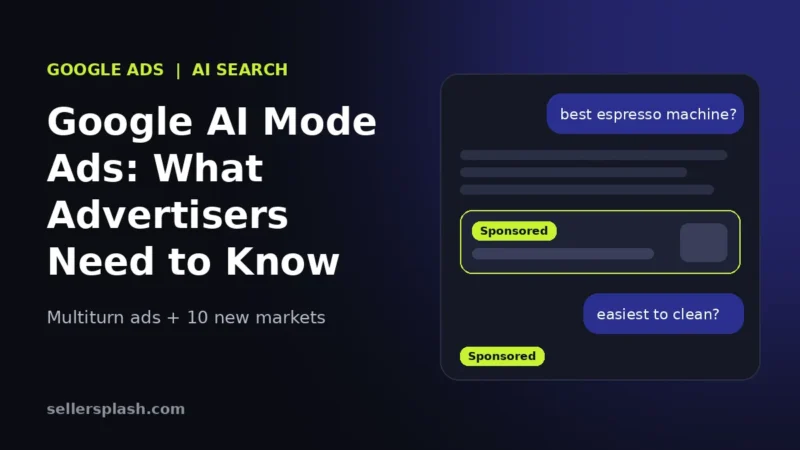
One of the most significant 2026 developments for Shopify Google Ads is the Universal Commerce Protocol (UCP), a Shopify and Google co-development that enables purchases to be completed directly inside Google AI Mode without leaving the conversational search interface. Shopify merchants with UCP enabled can process discount codes, loyalty credentials, and subscription enrollments within Google AI chat responses.
Google AI Mode reached 75 million daily active users by early 2026. AI-generated responses now appear before traditional blue link results for a significant percentage of commercial queries. For Shopify brands with UCP enabled, Shopping campaigns can drive in-chat purchases rather than redirecting buyers to external Shopify product pages.
AI Max for Search, Google's replacement for Dynamic Search Ads rolling out in September 2026, uses the Shopify product feed and store content to generate customized search ads for queries beyond traditional keyword lists. Early data shows 14 to 27% more conversions at similar cost per acquisition. Feed quality is the primary performance variable in AI Max, making the product title and attribute optimization described above compound across Shopping, Performance Max, and AI Max simultaneously.
Shopify Collection Pages as Google Ads Landing Pages in New York
Every Shopify Google Ads dollar in New York passes through a landing page before converting. For Shopify stores, collection pages are the most important PPC landing destinations because the majority of Shopping and Performance Max traffic arrives there.
Google's Quality Score algorithm evaluates Shopify landing page experience as a direct input to ad rank and CPC. A Shopify collection page loading within two seconds on mobile, displaying the add-to-cart action above the fold, and showing relevant social proof including review counts and bestseller badges consistently receives higher Quality Scores. In New York's elevated-CPC environment, a Quality Score improvement from 5 to 8 on a competitive Shopping query reduces per-click cost by 30% to 50%.
Ad-to-landing-page matching for Shopify:
- Performance Max asset groups featuring leather wallets should link to the Shopify leather wallet collection, not the Shopify homepage
- Branded Search campaigns should link to a Shopify brand story or best-seller page, not a generic Shopify category
- Remarketing campaigns targeting cart abandoners should return buyers to the exact Shopify product page they were viewing, not a general promotions page
Customer Match From Shopify Data: First-Party Audience Infrastructure
As iOS privacy changes and browser restrictions continue fragmenting third-party tracking, Shopify stores with strong first-party data infrastructure consistently outperform those relying on platform-native tracking signals alone. Upload existing Shopify customer email data as a Customer Match audience in Google Ads. Performance Max uses this as its highest-quality audience signal, finding new buyers who share behavioral and geographic characteristics with your existing Shopify customers.
In New York specifically, Customer Match from Shopify customer data helps the algorithm identify buyer patterns within specific boroughs and neighborhoods, reducing the time spent in the learning phase and improving ROAS stability from the start of any new campaign or product launch.
For the complete multi-channel framework connecting Shopify Google Ads to Meta Ads, TikTok Ads, Amazon, and Walmart as one revenue system, see the ecommerce PPC strategy guide.
What Clients Say About Seller Splash
The following reviews are published directly on the Seller Splash website from real clients.
"Seller Splash delivered a step change in qualified leads. The ROI speaks for itself."
Marketing Director, B2B SaaS Company
"We saw a real lift in ROAS on our Meta and Google Ads. Game-changing results."
Ecommerce Manager, DTC Brand
"They understand how to reach our audience."
Brand Owner, Fashion and Apparel
Read the full documented Shopify case study: a Shopify store grew from $353,000 to $1.03 million in annual revenue with conversion rate improving from 1.8% to 3.33% on the same traffic volume. See the full Shopify case study.
Why Seller Splash for Shopify Google Ads in New York
Seller Splash is a New York ecommerce performance marketing agency managing Google Ads, Google Shopping, Performance Max, Meta Ads, Microsoft Advertising, Amazon Sponsored, and Walmart Connect for Shopify, WooCommerce, BigCommerce, and Magento brands across the USA, UK, UAE, and Australia.
Every Shopify Google Ads engagement starts with a product feed audit before any campaign settings are reviewed. Shopify product title quality, GTIN accuracy, custom label structure for margin-based segmentation, Merchant Center disapproval history, and feed freshness are all assessed before the campaign layer is touched. Conversion tracking is then verified against actual Shopify order data, confirming dynamic revenue values are passing correctly, purchases are set as the sole primary action, and Enhanced Conversions is active. Only then is campaign structure reviewed, with Standard Shopping and Performance Max assigned deliberate roles and ROAS targets calculated from actual Shopify product margins.
Documented Shopify Results
- Shopify store case study: grew from $353,000 to $1.03 million annually with conversion rate increasing from 1.8% to 3.33% on the same traffic
- Google Ads: 13.8x ROAS across managed accounts
- A New York Shopify brand: 9.37x ROAS within 30 days on $7,670 spend generating $71,900
- Total gross sales: $2.4 million with 18,200 orders and 12x blended ROAS
For related reading: the PPC agency NYC guide covers the four structural layers determining Google Ads performance across all five boroughs. The ecommerce PPC agency evaluation guide covers the questions that reveal genuine structural capability before signing. The Google Shopping ads management guide covers the feed framework and Merchant Center setup in detail.
Full case studies at sellersplash.com/case-studies. Complete service scope at sellersplash.com/services.
For New York Shopify brands ready to find out what is limiting Google Ads performance in the current account, book a free Shopify Google Ads strategy call with Seller Splash for a written diagnostic before any engagement decision is required.
Conclusion
Shopify Google Ads in New York in 2026 is an infrastructure problem before it is a campaign management problem. The product feed determines which searches trigger your ads and at what cost per click. Shopify conversion tracking accuracy determines whether Smart Bidding is learning from real order data or distorted signals. Margin-based campaign segmentation determines whether budget flows toward profitable Shopify products or toward the algorithmic path of least resistance. And landing page quality determines how much of the traffic paid for actually converts into Shopify orders.
The Shopify brands achieving 8x to 12x ROAS in New York's competitive auction are not outspending everyone else. They have built all three infrastructure layers correctly and maintained them as the store grew. That infrastructure is the only thing additional budget can amplify.
If your Shopify Google Ads in New York are not producing the returns your investment justifies, reach out for a free account review from Seller Splash. The team identifies specifically which infrastructure layer is limiting performance before any engagement begins.
About the Author
Shlomie Spielman is the founder of Seller Splash, a New York ecommerce performance marketing agency. After managing Google Ads, Google Shopping, and Performance Max campaigns specifically for Shopify brands in New York and internationally, he built Seller Splash around one operational truth: Shopify Google Ads performance in New York is determined by the infrastructure built underneath the campaigns, not by the campaign settings themselves. Seller Splash delivers 13.8x Google Ads ROAS across managed accounts. A New York Shopify brand grew from $353,000 to over $1 million in annual revenue with conversion rate improving from 1.8% to 3.33% on the same traffic volume.
Frequently Asked Questions
How do I connect Shopify to Google Ads for New York ecommerce?
The fastest route is through the Google and YouTube channel app in your Shopify admin. It handles account linking, product catalog sync to Google Merchant Center, and basic conversion tracking. Before launching any campaigns, verify purchase events are passing dynamic Shopify order values correctly, check Merchant Center Diagnostics for any feed errors, and confirm Enhanced Conversions is active. These three infrastructure checks before campaign launch prevent the most common Shopify Google Ads performance problems in New York's expensive auction.
Why is my Shopify Google Ads ROAS lower than expected in New York?
The most common causes in order of frequency: duplicate conversion tracking inflating reported conversions with both the native Shopify Google channel and Google Tag Manager firing purchase events simultaneously, product titles written for store display rather than buyer search language limiting which Shopping queries trigger ads, all Shopify products running under one Target ROAS routing budget toward thin-margin items, and Performance Max launched before the account had sufficient conversion history to give the algorithm real signals. Run a tracking verification check first, then audit product feed titles, then review campaign segmentation structure.
Should Shopify stores use Performance Max or Standard Shopping in New York?
Both, in a deliberate sequence. Standard Shopping first to build conversion history, provide search term visibility for negative keyword management, and give direct bid control over best-selling Shopify SKUs. Performance Max after the account generates 30 or more monthly conversions and Customer Match audience signals from Shopify customer data are populated. Running PMax before these conditions exist produces an extended learning phase that wastes budget in New York's expensive auction before the algorithm has enough signal to optimize correctly.
What ROAS should a Shopify store target with Google Ads in New York?
Calculate break-even ROAS by dividing 1 by your Shopify product gross profit margin percentage. A product with a 40% margin breaks even at 2.5x ROAS. Set your Target ROAS above that floor with sufficient margin for overhead and target profit. Apply different ROAS targets to different Shopify product margin tiers using custom labels in the feed rather than one blended target across the entire catalog. Never set ROAS targets from industry benchmarks without knowing your specific Shopify product margin structure.
How do I fix Shopify conversion tracking for Google Ads?
Compare Google Ads reported conversions against actual Shopify orders for a 30-day period. A 30% or greater discrepancy indicates duplicate tracking. Identify whether the Shopify native Google channel and Google Tag Manager are both firing purchase events and disable one. Confirm purchase events are passing the actual Shopify order total dynamically, not a flat placeholder. Set purchases as the sole primary conversion action in Google Ads settings. Activate Enhanced Conversions through Google Ads account settings to recover conversions that standard tracking misses due to iOS and browser restrictions.
What is Universal Commerce Protocol and how does it affect Shopify Google Ads in 2026?
Universal Commerce Protocol (UCP) is a Shopify and Google co-development enabling purchases to be completed directly inside Google AI Mode without leaving the conversational search interface. Shopify merchants with UCP enabled can process discount codes, loyalty credentials, and subscription enrollments within Google AI chat responses. For Shopify brands running Shopping campaigns in 2026, UCP creates a new ad placement type where campaigns can drive in-chat purchases rather than redirecting buyers to external Shopify product pages.
Get an expert audit of your brand's visibility in AI search and Google
Full AI Visibility Audit or Deep Growth Audit, with a prioritized fix list for your store.
AI search and ads readiness checklist
25 checks for Amazon, Walmart and Shopify sellers: tracking, product feeds, Google, Bing and Meta ads, and getting cited by ChatGPT, Perplexity and Google AI Overviews. Two pages, about 20 minutes.
- Break-even ROAS table by margin
- The AI search (AEO) checks most stores miss
- A simple score that tells you what to fix first
No spam. We use your email to send the checklist and follow up about it.
Want to see where your store stands in AI search? Get the Full AI Visibility Audit for $99 or the Deep Growth Audit for $249.
Get your AI visibility audit