Core Web Vitals for Ecommerce: What to Fix First
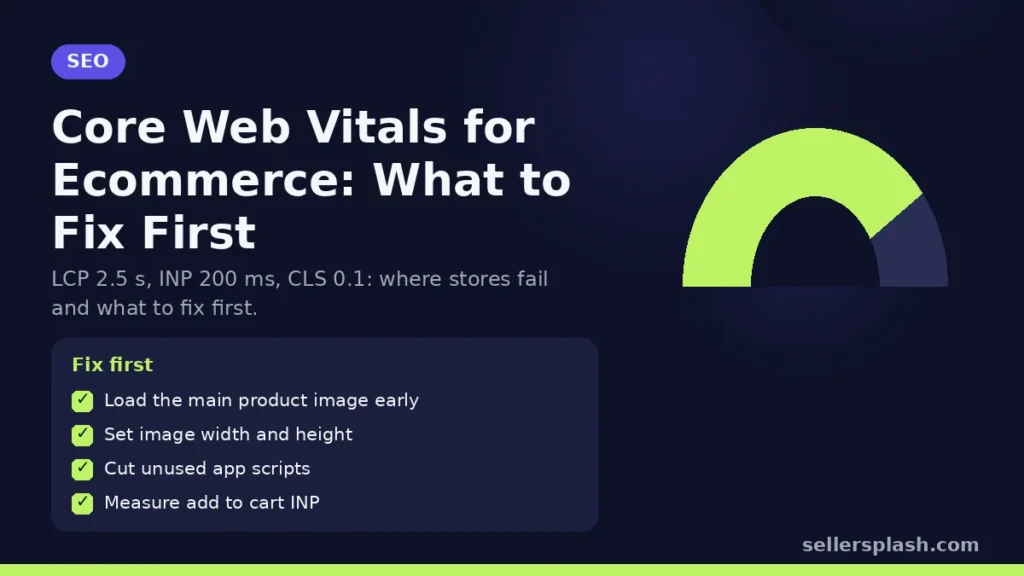
Core Web Vitals are Google's three measures of real user experience: Largest Contentful Paint (LCP) for loading, Interaction to Next Paint (INP) for responsiveness, and Cumulative Layout Shift (CLS) for visual stability. Google's targets are an LCP within 2.5 seconds, an INP of 200 milliseconds or less, and a CLS of 0.1 or less, measured at the 75th percentile of page loads on mobile and desktop. For an online store, the product and category templates matter most, because a fix there improves thousands of URLs at once. This guide covers how much the metrics matter for rankings, where stores usually fail, and what to fix first.
How Much Core Web Vitals Matter for SEO
Google says it highly recommends that site owners achieve good Core Web Vitals for success with Search, and that this, along with other page experience aspects, aligns with what its core ranking systems seek to reward. Google is also clear about the limits. Its page experience guidance says Search "always seeks to show the most relevant content, even if the page experience is sub-par," and that a great page experience can contribute to success when there is lots of helpful content available for a query.
In practice: speed will not rescue a thin product page, but between two equally useful pages it can tip the balance, and it affects conversion rate regardless of rankings. Slow, jumpy pages cost sales before they cost positions.
The Three Metrics on a Store
| Metric | Good | What it usually is on a store |
|---|---|---|
| Largest Contentful Paint (LCP) | 2.5 seconds or less | The main product image or the hero banner on a collection page |
| Interaction to Next Paint (INP) | 200 ms or less | Tapping a variant, opening the menu, adding to cart |
| Cumulative Layout Shift (CLS) | 0.1 or less | Late loading banners, review widgets, images without dimensions |
Google's web.dev guidance says a page passes when it meets all three targets at the 75th percentile, which means three out of four visits must be good, not just your own test on fast office Wi-Fi.
How to Measure Them
- Search Console Core Web Vitals report. Groups your URLs by status using field data from the Chrome User Experience Report (CrUX). Google's report help page notes that a new property or a low traffic site may show "No data available" when CrUX has too little data.
- PageSpeed Insights. Shows real user field data for a URL when available, plus a lab test with specific diagnostics.
- Template sampling. Test one URL per template: home, collection, product, cart and blog. Fixes almost always happen at template level.
What to Fix First: 6 Steps
1. Make the main product image load early
On most product pages the LCP element is the first product image. Google's LCP guide recommends making sure the LCP resource starts loading early, and, where it is referenced from CSS or JavaScript, preloading it with a high fetch priority. Serve it in a modern format at the size it is displayed, and do not lazy load the first image.
2. Give every image and embed fixed dimensions
Images without width and height are a classic cause of layout shift, and Lighthouse has a dedicated audit for them, as Google's CLS guide explains. Reserve space for review stars, payment badges, announcement bars and pop ups so they do not push the page down when they load.
3. Cut third party scripts on product templates
Apps for reviews, chat, upsells, heatmaps and tracking all add JavaScript. Google's INP guide explains that an interaction is delayed when long tasks are running on the main thread, which is exactly what heavy scripts cause. Remove apps you no longer use and load the rest after the page is interactive where the vendor allows it.
4. Make variant and add to cart interactions light
Variant pickers that re render the whole page, or add to cart buttons that wait on several scripts, are where INP problems show up. Ask your developer to measure these interactions specifically.
5. Reduce what loads above the fold on collection pages
Large hero sliders and video banners often become the LCP element on collection pages. A single static image or a simple heading usually loads faster and shows products sooner.
6. Validate the fix in Search Console
After a template change, use the validation option in the Core Web Vitals report. Field data covers a rolling window of real visits, so improvements take time to show.
Quick Checklist
- Search Console Core Web Vitals report reviewed for mobile and desktop
- First product image preloaded, correctly sized and not lazy loaded
- Width and height set on all images and embeds
- Space reserved for widgets, banners and pop ups
- Unused apps and scripts removed
- Variant selection and add to cart measured for INP
Where an Agency Fits
Core Web Vitals work is mostly developer work, guided by data. We help stores find which templates and apps are costing the most, then prioritize fixes that also lift conversion rate, the same approach behind our Shopify conversion case study. For the content side of SEO, see our product page SEO guide.
Want a technical check of your store? The Full AI Visibility Audit ($99) includes a site scan of crawler access and technical basics, and the Deep Growth Audit ($249) adds search, traffic and product feed checks with a 90 day plan.
Frequently Asked Questions
What are good Core Web Vitals scores?
Google's targets are a Largest Contentful Paint of 2.5 seconds or less, an Interaction to Next Paint of 200 milliseconds or less, and a Cumulative Layout Shift of 0.1 or less, measured at the 75th percentile of page loads.
Are Core Web Vitals a Google ranking factor?
Google says good Core Web Vitals align with what its core ranking systems reward, but that Search always seeks to show the most relevant content even if page experience is sub par. They matter most when many pages are equally helpful.
Why does Search Console show no Core Web Vitals data for my store?
Google says this happens when a property is new or when the Chrome User Experience Report has too little data for the device type. Use PageSpeed Insights lab tests in the meantime.
What usually causes a slow LCP on product pages?
The main product image loading late or at too large a size. Google recommends making the LCP resource start loading early, including preloading it with a high fetch priority when it is referenced from CSS or JavaScript.
What causes layout shift on ecommerce sites?
Common causes are images without width and height, review widgets, announcement bars and pop ups that load late and push content down.
How do apps affect INP?
Apps add JavaScript, and long tasks on the main thread delay how quickly the page responds to taps and clicks, which raises INP.
AI search and ads readiness checklist
25 checks for Amazon, Walmart and Shopify sellers: tracking, product feeds, Google, Bing and Meta ads, and getting cited by ChatGPT, Perplexity and Google AI Overviews. Two pages, about 20 minutes.
- Break-even ROAS table by margin
- The AI search (AEO) checks most stores miss
- A simple score that tells you what to fix first
No spam. We use your email to send the checklist and follow up about it.
Want to see where your store stands in AI search? Get the Full AI Visibility Audit for $99 or the Deep Growth Audit for $249.
Get your AI visibility audit