Meta Conversions API Setup for Online Stores
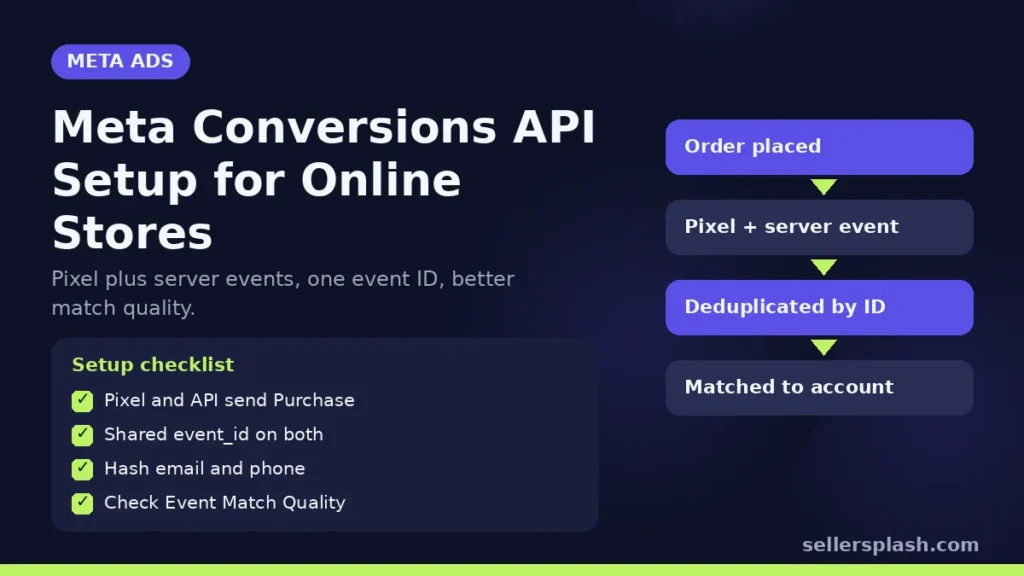
The Meta Conversions API sends your store's conversion events, such as purchases and checkouts, from your server straight to Meta, alongside the Meta Pixel that runs in the shopper's browser. Meta's best practices recommend running both and sharing the same events through each, a "redundant event setup," because the API can deliver events the Pixel loses to network problems or page loading errors. To make that work you need three things right: the same event names in both, an event ID so Meta can remove duplicates, and enough customer information for Meta to match each event to an account. This guide walks through the setup for Shopify and other platforms, then the checks that tell you it is working.
How the Conversions API Works With the Pixel
Meta describes the Conversions API as a connection between an advertiser's marketing data and the Meta systems that optimize ad targeting, decrease cost per result and measure outcomes. Server events are linked to the same dataset as your Pixel and are processed like Pixel events, so they can be used for measurement, reporting and optimization in the same way.
The difference is where the event comes from. The Pixel fires in the browser, so an ad blocker, a slow page or a closed tab can stop it. A server event is sent by your store's backend after the order is created. Shopify's help center puts it plainly: data sent from server to server can't be blocked by browser based ad blockers.
Setup Options by Platform
| Platform | How to turn it on | What to check |
|---|---|---|
| Shopify | Facebook and Instagram by Meta app, data sharing set to Enhanced or Maximum | Purchase events arrive from both browser and server |
| Any site with a Pixel | Meta's one click Conversions API setup in Events Manager | Which events it covers and their match quality |
| Custom or headless stores | Direct API integration from your server | Required parameters, hashing and event IDs |
Shopify
Shopify's Facebook data sharing settings offer three levels. Standard uses only the Meta Pixel, which a browser ad blocker can stop. Enhanced uses the Conversions API as well as the Pixel. Maximum uses the Conversions API and the Pixel and, in Shopify's words, is updated with Facebook's latest advertising technology. Both Enhanced and Maximum share customer information such as name, location, email address and phone number to match users on Meta's network, so check that your privacy policy and consent setup cover it.
One click setup in Events Manager
Meta's developer documentation says that if you have a Meta Pixel on your website, you can set up the Conversions API for website events in one click from Events Manager, with no code, configuration or setup fees. This is the fastest route for WooCommerce, BigCommerce and other platforms without a native server integration.
Direct integration
For custom stores, your developer sends events to Meta's endpoint. Meta's best practices list three parameters as required for website events: action_source, event_source_url and client_user_agent. They also ask you to include external_id and event_id on all events, and to hash customer information before sending it. Meta's Business SDK, available for Python, Java, Ruby, PHP and Node, hashes user parameters automatically.
Get Deduplication Right
When the same purchase arrives from the Pixel and the API, Meta needs to know it is one purchase, not two. Meta's deduplication guide recommends sending the same event name from both sources plus a shared event ID: the Pixel's eventID must match the event_id sent through the Conversions API. When Meta finds the same event name and ID from browser and server for the same Pixel within 48 hours, it discards the later one.
Two details catch stores out:
- Timing. Events are only deduplicated if they arrive within 48 hours of the first event with that ID.
- One source only. Meta does not deduplicate two browser events or two server events with the same information. If an app and a theme snippet both fire a Pixel purchase, you get double counting that the API cannot fix.
Raise Event Match Quality
Meta only uses matched events for attribution and ad delivery optimization. Unmatched events can still be used for basic measurement. Event Match Quality is a score out of 10, shown per event in Events Manager, that indicates how effective the customer information you send may be at matching events to Meta accounts. It is available for website events sent through the Conversions API.
Meta's best practices name email address, IP address, first and last name, and phone number as examples of high quality customer information. They also note that some combinations are too broad to be valid on their own. For example, an event carrying only city, state, zip, country, gender and user agent is treated as invalid for matching. Keep the fbp and fbc cookie values fresh if you send them, because Meta says they can change.
How to Verify Your Setup: 5 Checks
- Use the Test Events tool. Meta's Test Events tool shows whether server events are received and whether they are being deduplicated.
- Compare sources in Events Manager. Each key event, especially Purchase, should show both browser and server as connection methods.
- Check Event Match Quality per event. Look at Purchase and Initiate Checkout first, since they drive optimization for most stores.
- Reconcile purchases with your store. Meta reported purchases for a week should be close to your platform's attributed orders, not double.
- Send events close to real time. Meta recommends sharing server events in real time or in batches close to real time.
Quick Checklist
- Pixel and Conversions API both send Purchase, Initiate Checkout and Add to Cart
- Same event names and a shared event ID on both
- action_source, event_source_url and client_user_agent on every website event
- Email and phone hashed and sent where you have consent
- Only one Pixel purchase event per order
- Event Match Quality reviewed in Events Manager
Where an Agency Fits
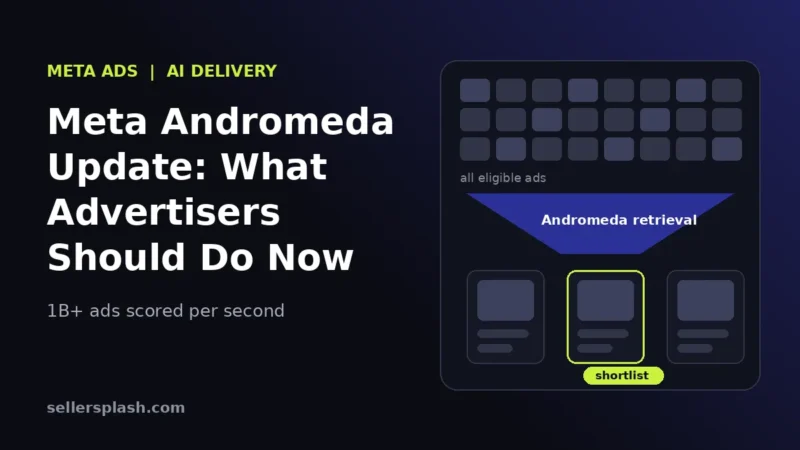
Clean conversion data is the foundation of every Meta campaign, and it matters even more since Meta's delivery leans on automation, as we covered in our post on the Meta Andromeda update. Our Meta ads management includes a tracking check before any budget goes up.
Want your tracking and ad data reviewed? The Full AI Visibility Audit ($99) covers your site's search and AI readiness, and the Deep Growth Audit ($249) adds traffic, ads and product feed checks with a 90 day plan.
Frequently Asked Questions
Do I still need the Meta Pixel if I use the Conversions API?
Yes. Meta recommends a redundant setup: send the same events through the Pixel and the Conversions API, so the API can fill in events the Pixel loses to network problems or page errors.
How does Meta stop the Pixel and the API from counting a purchase twice?
Send the same event name from both and a matching event ID. If Meta receives the same event name and ID from browser and server for the same Pixel within 48 hours, it discards the later one.
Which Shopify data sharing level turns on the Conversions API?
Enhanced and Maximum both use the Conversions API as well as the Meta Pixel. Standard uses only the Pixel, which browser ad blockers can stop.
What is a good Event Match Quality score?
Meta scores Event Match Quality out of 10 and says higher matching quality produces better results. Sending email, phone, name and IP address where you have consent usually raises it.
Can I set up the Conversions API without a developer?
Often, yes. Shopify's Facebook and Instagram app turns it on through data sharing settings, and Meta offers a one click setup for website events in Events Manager for sites that already have a Pixel.
Which parameters are required for website events?
Meta's best practices list action_source, event_source_url and client_user_agent as required for website events, and ask advertisers to include external_id and event_id on all events.
AI search and ads readiness checklist
25 checks for Amazon, Walmart and Shopify sellers: tracking, product feeds, Google, Bing and Meta ads, and getting cited by ChatGPT, Perplexity and Google AI Overviews. Two pages, about 20 minutes.
- Break-even ROAS table by margin
- The AI search (AEO) checks most stores miss
- A simple score that tells you what to fix first
No spam. We use your email to send the checklist and follow up about it.
Want to see where your store stands in AI search? Get the Full AI Visibility Audit for $99 or the Deep Growth Audit for $249.
Get your AI visibility audit