Google Ads Scripts for Ecommerce: What They Do and Where They Break
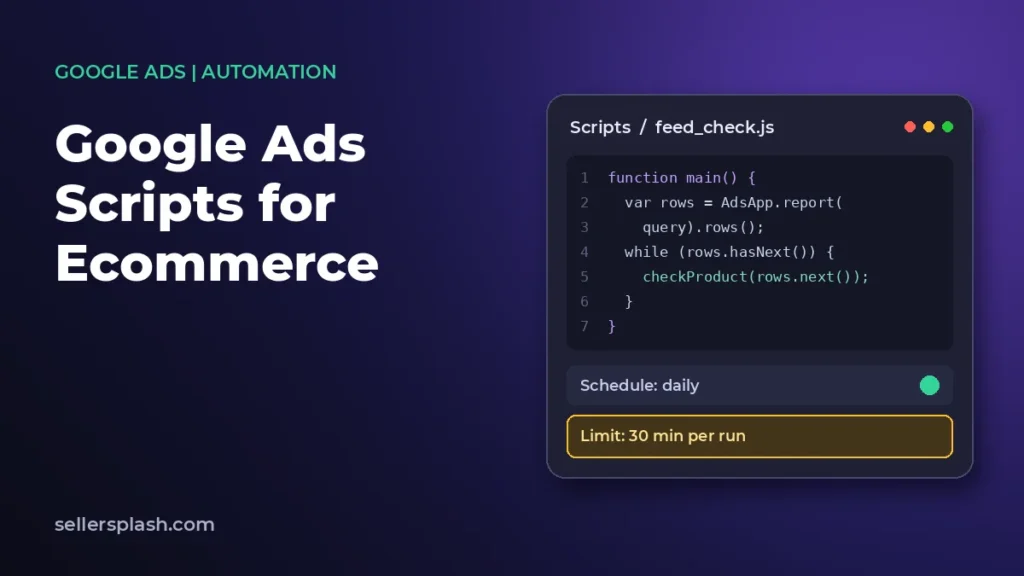
Most guides to Google Ads scripts are lists of scripts to copy. Very few tell you the limits those scripts run inside, which is the part that decides whether something works on a 200 product catalog and then quietly fails on a 40,000 product one.
This guide covers what scripts can reach, the execution ceilings Google enforces, and the failure behaviour that catches people out when a script stops halfway.
Quick Summary
Google Ads scripts are pieces of JavaScript that execute on Google's own infrastructure, reading and changing your Google Ads data on a schedule. They are free to run, written in a browser-based editor, and sit between manual account work and full API development.
- Scripts run for a maximum of 30 minutes on an advertiser account, and manager scripts can reach 60 minutes only when they use parallel execution with a callback.
- A timed-out script does not roll back. Changes made before cancellation are still applied, which is the single most important behaviour to understand.
- Iterators return up to 50,000 entities by default. Reports and search queries are exempt from that ceiling.
- Selectors break at 10,000 IDs. Passing 10,000 or more throws a runtime error rather than truncating.
- Manager scripts can process up to 50 accounts in parallel, each with its own quota.
- An account can hold 250 authorized scripts. Past that, an older script is deauthorized.
The execution ceilings worth knowing before you write anything.
| Limit | Value | Applies to |
|---|---|---|
| Script runtime | 30 minutes | Advertiser account scripts |
| Script runtime | Up to 60 minutes | Manager scripts using parallel execution with a callback |
| Entity iterator | 50,000 results by default | Selectors, adjustable with a limit method |
| Selector IDs | 10,000 maximum | ID based selection, errors at 10,000 or more |
| Parallel accounts | 50 | Manager script parallel execution |
| Bulk upload | 50 MB and 1,000,000 rows | Upload files, rejected at submission if over |
| Authorized scripts | 250 per account | OAuth2 authorized scripts |
Running Shopping at a scale where manual checks no longer keep up? Talk to Seller Splash about paid search management.
What Are Google Ads Scripts?
Google Ads scripts are a serverless automation platform that lets you programmatically manage and query Google Ads data. You write JavaScript in a browser-based editor inside Google Ads, and Google runs it on its own infrastructure at no additional cost.
They use the V8 runtime, so modern JavaScript syntax works. Entry level familiarity with the language is enough for most account work, and there are no servers, keys or deployment steps to manage.
Authorization runs on background OAuth2, which is why a script can execute on a schedule without anyone being signed in. That is also why an abandoned script keeps running long after the person who wrote it has left.
What Can You Automate With Google Ads Scripts?
Scripts can read and modify most of the account objects you work with by hand, and they can reach outside Google Ads for data.
- Campaigns, ad groups, keywords and ads, including bids, budgets and status.
- Reports and custom queries written in Google Ads Query Language.
- Video campaigns, through their own collection in the scripting API.
- Child accounts, when the script runs at manager level.
- Google Sheets, Drive and BigQuery, which is how most reporting scripts deliver output.
- External services over REST, using the URL fetch service.
That last capability is what turns a script from an account tool into an integration. A script can pull stock levels or margin data from an external system and act on it inside the account, which is not something the Google Ads interface can do on its own.
What Are the Execution Limits?
The limits are the part that decides whether an approach survives contact with a large catalog. Google states them explicitly, and they are easy to exceed without noticing.
- Runtime is 30 minutes for an advertiser account script.
- Manager scripts get the same 30 minutes, unless they use parallel execution with a callback, which raises it to 60.
- Iterators cap at 50,000 results by default, and that default can be adjusted.
- Reports and search queries are not subject to entity limits, which is why report-based scripts scale better than iterator-based ones.
- Logging output truncates at 100Kb, with a warning written to the log.
- A manager script's per-account processing can return up to 10MB of data.
Why report-based scripts scale better
An iterator walks objects one by one and runs into the entity ceiling. A report returns rows and is exempt from that ceiling. On a large catalog the same logical job can succeed as a report and fail as an iterator, which is usually the explanation when a script that worked for a year starts timing out after the catalog grows.
What Happens When a Script Times Out?
A timed-out script does not undo what it already did. Google cancels execution at the limit and still applies any changes made before cancellation. There is no transaction and no rollback.
This is the behaviour that turns a slow script into an account problem. A bid adjustment script that processes alphabetically and times out two thirds of the way through has changed two thirds of your bids and left the rest untouched, with no error visible in the account itself.
- Make scripts resumable rather than assuming they finish, so a partial run can be picked up.
- Process in a deliberate order and record progress, instead of relying on a full pass.
- Log what changed, not just what the script intended to change.
- Alert on partial completion, because a timeout is not reported as a failure inside the account.
Bulk upload jobs behave differently again. They time out after two hours and stop processing whatever remains, so a large upload can be partially applied for the same reason.
How Do Manager Account Scripts Work Differently?
Manager scripts run across child accounts and are the reason scripts scale for agencies. Parallel execution handles up to 50 accounts, and each account processed gets its own quota rather than sharing one pool.
The extended 60 minute runtime applies only when a manager script uses parallel execution with a callback. Written any other way it has the same 30 minutes as a single account script, which surprises people who assume manager level automatically means more time.
| Advertiser account script | Manager script | |
|---|---|---|
| Runtime | 30 minutes | 30 minutes, or 60 with parallel execution and a callback |
| Scope | One account | Child accounts |
| Parallelism | None | Up to 50 accounts |
| Quota | One account's quota | Per account |
Which Ecommerce Jobs Are Worth Scripting?
Script the checks that are cheap to describe, expensive to forget and repetitive enough that nobody does them reliably by hand.
- Disapproval and product status monitoring, so a feed problem surfaces the day it happens rather than at month end.
- Budget pacing alerts, comparing spend against the month's plan and flagging drift.
- Broken landing page checks, catching product URLs that start returning errors.
- Search term exports into a sheet for review, which pairs with a proper negative keyword process.
- Zero impression or zero click product reporting, which tells you where the catalog is not competing.
- Margin or stock aware bid changes, pulling external data the interface cannot see.
The common thread is that these are monitoring and reporting jobs first. Automated bid changes are the use case people reach for first and the one most likely to cause damage, because a bidding script that misfires does so silently and at scale.
Where scripts and feed work meet
A large share of ecommerce script work is really feed diagnosis. If products are not serving, the cause usually sits in the product data rather than the campaign, and Google Shopping feed optimization covers that layer. A script is useful for surfacing the problem quickly, not for fixing data quality at source.
When Should You Not Use a Script?
Scripts are the wrong tool more often than their popularity suggests. Three situations call for something else.
- High throughput or enterprise workloads. Google itself points to the Google Ads API for applications that need to run at scale on your own servers.
- Anything that must be transactional. With no rollback, a job where partial completion is unacceptable should not run as a script.
- Logic the platform already handles. Automated bidding, for instance, already reacts faster than a scheduled script can.
There is also a maintenance argument. A script is code that nobody owns once its author moves on, running on a schedule with background authorization. Accounts routinely contain scripts whose purpose nobody remembers, still making changes every morning.
How Do You Schedule and Authorize Scripts?
Scripts can be scheduled hourly, daily, weekly, monthly, or run on demand. Scheduling is set per script in the account, and the schedule is what makes a script an ongoing process rather than a one-off tool.
Authorization uses background OAuth2 so execution does not need an active session. An account can hold 250 authorized scripts, and beyond that limit a previously authorized script gets deauthorized, though it can be reauthorized the next time it is opened.
That deauthorization behaviour is worth knowing in an agency context. Scripts that stop running without an obvious reason are sometimes not broken at all, they have simply been pushed past the authorization ceiling by newer ones.
How Do You Test a Script Safely?
Preview mode is the first line of defence, but it is not sufficient on its own. The editor includes a preview that shows what a script would do without applying changes.
- Run in preview first and read the logged output rather than skimming it.
- Test against a single campaign before letting a script touch the account.
- Add a dry run switch so the same code can report without writing.
- Check behaviour near the limits, not just on a small sample, because the failure mode only appears at scale.
- Confirm the schedule matches how often the underlying data actually changes.
Scripted changes need the same review rhythm as any other account change, and the monitoring cadence that works for campaigns applies to automation too. The difference is that a script keeps acting whether or not anyone is reviewing it.
What Mistakes Should You Avoid?
| Mistake | Why it happens | What to do instead |
|---|---|---|
| Assuming a timeout rolls back | Transactional thinking from other systems | Design for partial completion |
| Iterating where a report would do | Iterators read more naturally | Use reports for large catalogs |
| Passing more than 10,000 IDs | Works fine on small accounts | Batch below the ceiling |
| Automating bids before monitoring | Bidding feels higher value | Script the checks first |
| Leaving unowned scripts running | Nobody audits the script list | Review scheduled scripts quarterly |
| Treating a script as a feed fix | Faster than fixing source data | Fix the product data upstream |
Where Should You Go Next?
- If product data is the real problem, read Google Shopping feed optimization.
- If products are being pulled entirely, start with Merchant Center suspensions.
- If you are deciding what to review and when, see how to monitor PPC campaigns.
- If campaign structure is the next question, read Google Shopping campaign priority.
About the Author
Seller Splash is an ecommerce marketing agency based in New York, working with product brands on Google Ads, Shopping, Merchant Center, paid social and marketplace advertising. Account automation sits inside that work, which is where the operational cautions described here come from. More on who we are, or see what the work produced for other product brands.
Frequently Asked Questions
What are Google Ads scripts?
Google Ads scripts are pieces of JavaScript that execute on Google's own infrastructure, reading and changing your Google Ads data on a schedule. You write them in a browser-based editor inside Google Ads, they use the V8 runtime, and they run at no additional cost.
How long can a Google Ads script run?
An advertiser account script runs for a maximum of 30 minutes before Google cancels it. A manager script has the same 30 minute limit unless it uses parallel execution with a callback, which raises the ceiling to 60 minutes.
What happens if a Google Ads script times out?
Google cancels the script at the limit but still applies any changes made before cancellation. There is no rollback, so a script that stops halfway leaves the account partly changed, which is why scripts should be written to handle partial completion.
How many entities can a Google Ads script process?
Iterators return up to 50,000 results by default, and that default can be adjusted. Reports and search queries are exempt from entity limits, which is why report-based scripts handle large catalogs better than iterator-based ones.
Why does my script fail when selecting many IDs?
Selectors accept a maximum of 10,000 IDs. Passing 10,000 or more throws a runtime error rather than silently truncating, so large selections need to be batched below that ceiling.
How many accounts can a manager script process?
Parallel execution handles up to 50 accounts, and each account processed gets its own quota rather than sharing a single pool.
Is there a limit on how many scripts an account can hold?
Yes. An account can hold 250 authorized scripts. Beyond that limit a previously authorized script is deauthorized, though it can be reauthorized the next time it is opened.
Should you use Google Ads scripts or the Google Ads API?
Scripts suit scheduled account work with no infrastructure to manage. Google points to the Google Ads API instead for high throughput applications that run on your own servers, and anything that cannot tolerate partial completion is a poor fit for a script.
Get an expert audit of your brand's visibility in AI search and Google
Full AI Visibility Audit or Deep Growth Audit, with a prioritized fix list for your store.
AI search and ads readiness checklist
25 checks for Amazon, Walmart and Shopify sellers: tracking, product feeds, Google, Bing and Meta ads, and getting cited by ChatGPT, Perplexity and Google AI Overviews. Two pages, about 20 minutes.
- Break-even ROAS table by margin
- The AI search (AEO) checks most stores miss
- A simple score that tells you what to fix first
No spam. We use your email to send the checklist and follow up about it.
Want to see where your store stands in AI search? Get the Full AI Visibility Audit for $99 or the Deep Growth Audit for $249.
Get your AI visibility audit