Google Ads Customer Lifecycle Goals: October 2026 Update
Disclosure: this post may contain affiliate links. As an Amazon Associate we earn from qualifying purchases. Read our affiliate disclosure
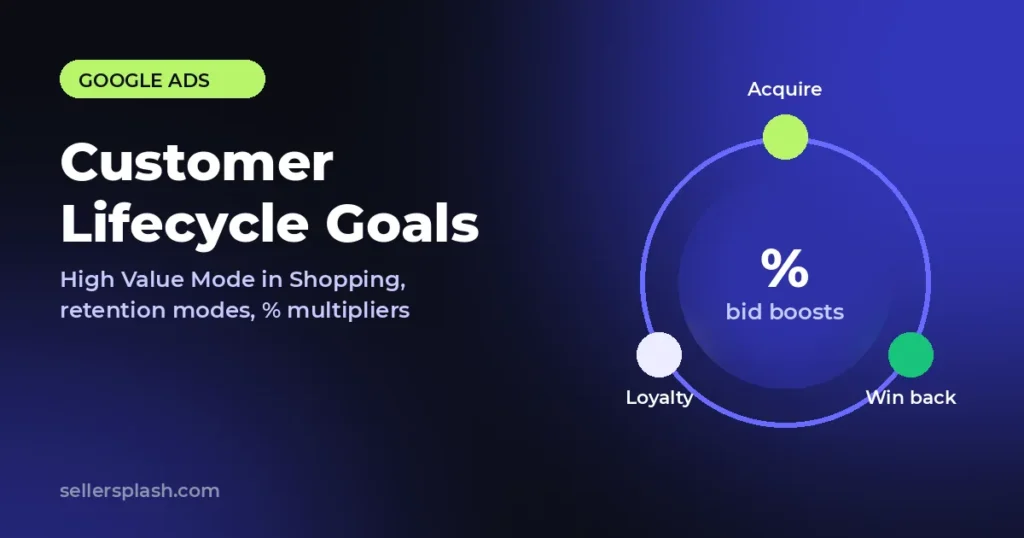
Google Ads customer lifecycle goals got three upgrades this month. In an announcement on Accelerate with Google, Google said New Customer High Value Mode is rolling out to Shopping campaigns, retention goals (Re-engagement, Loyalty and Retention Only modes) are rolling out for Performance Max, Search and Shopping, and percentage multipliers are leaving beta. For ecommerce sellers, the practical move before peak season is to clean up purchase tracking and Customer Match lists, then decide which customers each campaign should pay more to reach.
This guide explains each change in plain terms, who it fits, and a step by step setup you can work through this week. Every claim links to Google's own pages.
Quick Answer
Customer lifecycle goals are Smart Bidding settings that let you bid differently for new, high value, lapsed and loyal customers. The October 2026 update gives Shopping advertisers the same high value controls Search and Performance Max already had, opens retention modes to more campaign types, and lets bid boosts scale as a percentage of cart size instead of a flat amount. Search Engine Roundtable reported the rollout on October 22, 2026.
- High Value Mode in Shopping: bid more for new customers likely to spend more, while keeping normal reach.
- Re-engagement Mode: prioritize customers who have not ordered in a while.
- Loyalty Mode: show member pricing or messages to people in your loyalty program.
- Retention Only Mode: run a campaign that reaches only the customer segments you choose.
- Percentage multipliers: a boost such as 1.2x scales with order size.
| Update | Campaign types per Google | Best fit |
|---|---|---|
| New Customer High Value Mode | Now rolling out to Shopping (already in Search and Performance Max) | Stores with a wide range of order values |
| Re-engagement Mode | Performance Max, Search, Shopping | Repeat purchase products: consumables, refills, apparel |
| Loyalty Mode | Performance Max, Search, Shopping | Brands with a real loyalty program and member perks |
| Retention Only Mode | Performance Max, Search, Shopping | Dedicated win back or VIP campaigns |
| Percentage multipliers | Search, Shopping, Performance Max, Demand Gen, plus SA360 | Any account where carts range from small to large |
What Google Changed in Customer Lifecycle Goals
Google's post lists three updates, all described as rolling out this month. Here is what each one does, in our own words.
1. New Customer High Value Mode comes to Shopping
High Value Mode already existed for Search and Performance Max. It lets bidding go after new customers who are likely to bring more value, without cutting your regular reach. Google is now extending it to standard Shopping campaigns, which matters for sellers who still run Shopping next to Performance Max for tighter product control.
2. Retention goals for more campaign types
After betas, Google is making retention goals available more broadly, with three modes:
- Re-engagement Mode prioritizes customers who have not placed an order in a while, while your ads still run for your main audience.
- Loyalty Mode is built for members of your loyalty program, so you can show member only pricing or messages that fit people already in your community.
- Retention Only Mode dedicates a campaign fully to retention and reaches only the customer segments you specify.
One note: Google's customer retention help page still says re-engagement is available only in Performance Max "currently." Help pages often trail announcements, so check the Settings tab in your own campaigns to see what has reached your account.
3. Percentage multipliers leave beta
Flat dollar boosts treat a $50 cart and a $500 cart the same way. With percentage multipliers, the boost scales with cart size. Google's own example is a jewelry shop that sets a 20% (1.2x) boost so it can bid just as aggressively for large and small orders. Google says this rolls out for Search, Shopping, Performance Max and Demand Gen in both Google Ads and SA360.
Requirements Before You Turn Them On
Check these before you change any settings. Google's help page and retention guide list these requirements:
- Value-based bidding for high value settings: Target ROAS or Maximize conversion value, with at least one Purchase conversion goal.
- New Customer Value first: for re-engagement, Google's instructions ask for a campaign optimizing toward purchases with customer acquisition in the New Customer Value setting.
- Customer Match lists: at least one customer list of lapsed customers for re-engagement, and lists of program members for loyalty.
- Loyalty benefits in Merchant Center: loyalty settings need your program benefits added to the Merchant Center feed.
If your purchase values are not reaching Google Ads correctly, fix that before anything else. Our guide to GA4 ecommerce tracking covers the basics of clean purchase data.
How to Set Up Customer Lifecycle Goals: 6 Steps
- Audit conversions. Confirm a Purchase goal is primary and passes real order values. Lifecycle settings bid on those values, so wrong values mean wrong bids.
- Refresh your customer lists. Export existing customers, lapsed customers and loyalty members from your store or CRM and upload them as Customer Match lists. Define "lapsed" by your own repurchase cycle, not a generic number.
- Start with New Customer Value. Google recommends it for all advertisers with purchase goals. Once it is stable, test High Value Mode in Search, Performance Max and now Shopping.
- Set a sensible lapsed customer value. Google notes this value should usually sit between your typical new customer value and existing customer value. Base it on your margins and repeat order data.
- Switch flat boosts to percentage multipliers where your order values vary widely, so large carts get a proportionate bid.
- Keep Retention Only for dedicated campaigns. Because it restricts reach to segments you choose, use it for a clear win back or VIP offer, not as your main campaign.
Make these changes early in the season. Bidding needs time and data to adjust, and a change made in the middle of a sale week leaves little room to read results. If you are planning holiday budgets, our Black Friday ecommerce advertising guide pairs well with this setup.
How to Measure Results
Google suggests tracking the re-engagement ratio: lapsed customers re-engaged divided by the total customers the retention campaign drove. It also says a "re-engaged customer" column becomes available after the setting is enabled. Compare new customer and returning customer conversions before and after each change, and judge on profit per order rather than on ROAS alone, since a new high value customer can be worth more than a cheap repeat sale.
Paid search is only one way shoppers find you; AI assistants are another. To see whether ChatGPT, Gemini and Google AI answers mention your brand, run our free AI visibility score.
How Seller Splash Helps
Our Google Ads management team sets up lifecycle goals on top of clean conversion data: purchase values, Customer Match lists synced from your store, and Merchant Center feeds that carry the right product and loyalty details. We test High Value Mode and retention modes campaign by campaign and report on new versus returning customers, not just total ROAS.
Want a second opinion on your store? Get your free AI visibility score in a few minutes, or request the Full AI Visibility Audit for the full picture.
Frequently Asked Questions
What are customer lifecycle goals in Google Ads?
They are Smart Bidding settings that tell Google Ads how to treat different customers. Customer acquisition settings bid higher for new customers, and customer retention settings help you keep existing customers engaged and win back lapsed ones. Google lists them for Performance Max, Search, Shopping and Demand Gen campaigns.
What did Google change in October 2026?
Google announced three updates rolling out that month: New Customer High Value Mode extended to Shopping campaigns, retention goals (Re-engagement, Loyalty and Retention Only modes) made available more broadly for Performance Max, Search and Shopping, and percentage multipliers released from beta for Search, Shopping, Performance Max and Demand Gen.
What is the difference between Re-engagement Mode and Retention Only Mode?
Re-engagement Mode prioritizes customers who have not ordered in a while while your ads keep reaching your main target audience. Retention Only Mode restricts a campaign to the existing customer segments you specify, so it no longer works as a prospecting campaign.
Do I need Customer Match lists to use retention goals?
For re-engagement and loyalty, yes. Google's setup instructions for re-engagement ask for at least one Customer Match list of lapsed customers, and loyalty settings need Customer Match lists of your program members plus loyalty benefits added to your Merchant Center feed.
Which bid strategies work with High Value Mode?
Google's help page lists value-based bidding for the high value settings: Target ROAS or Maximize conversion value, with at least one Purchase conversion goal. New Customer Only is the setting that also works with Maximize conversions and Target CPA.
AI search and ads readiness checklist
25 checks for Amazon, Walmart and Shopify sellers: tracking, product feeds, Google, Bing and Meta ads, and getting cited by ChatGPT, Perplexity and Google AI Overviews. Two pages, about 20 minutes.
- Break-even ROAS table by margin
- The AI search (AEO) checks most stores miss
- A simple score that tells you what to fix first
No spam. We use your email to send the checklist and follow up about it.
Want to see where your store stands in AI search? Run the free AI Visibility Score, or get the Full AI Visibility Audit for $99.
Get your AI visibility audit